 Chordleaf
Transposing and capo
Transpose chords without rewriting the lyrics
Transposing a song should not mean correcting every chord by hand. Chordleaf moves the whole progression by semitones, sets a capo and shows the likely key while the lyrics stay exactly where they were.
What transposing actually does
Transposing moves the whole harmony by the same distance so a song fits a voice or an instrument better. Every chord changes name while the relationships between them stay the same: the song sounds identical, just higher or lower.
Chordleaf transposes the chords it recognises. Anything doubtful is kept and flagged for review instead of vanishing silently.
Semitones, tones and keys
A semitone is the smallest step between two notes, and twelve of them make an octave. Two semitones equal one tone. The counter starts at 0 and each press moves the song by one semitone.
The likely key is estimated from the written chords and updates as you transpose, which helps you judge whether the result sits comfortably in your range. Move a progression in C major up two semitones, for instance, and the chords become D major while the key estimate follows along.
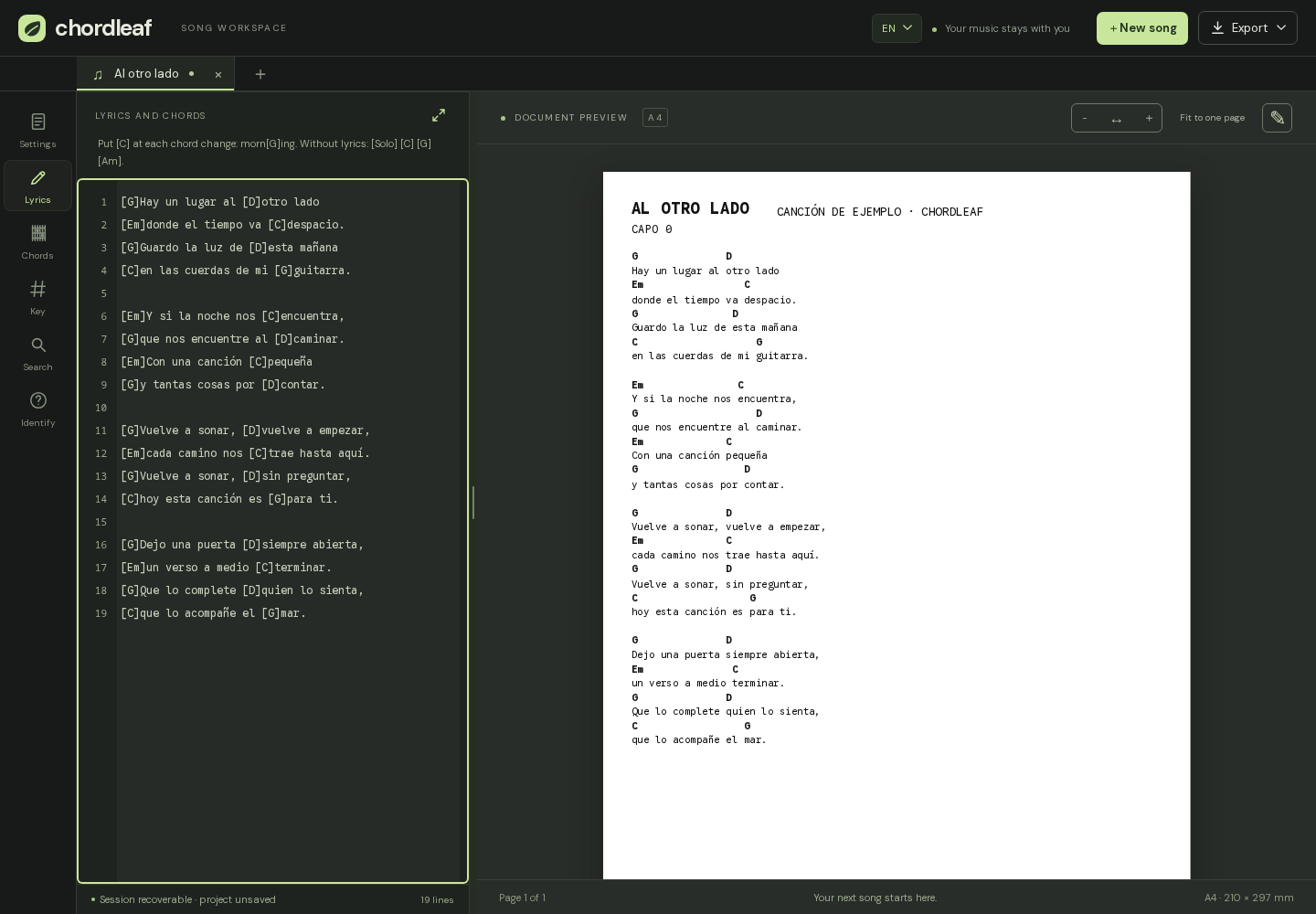
The original demo song in the Chordleaf documentation, «Al otro lado», is a handy way to watch the scale degrees move as you change the offset: the lyrics stay put and the chords are recalculated for you.
When a capo helps
A capo raises the sounding pitch without changing the shapes you play. It is the practical choice when you want to keep open chords: place it on fret 2 and play as if you were in the original key.
The option to keep the key while moving the capo compensates the written chords so the result keeps sounding the same. Turn it off and both controls act independently, which you can also use on purpose.
Transposing step by step
Choose the distance with the − and + buttons, and use the ↺ symbol to return to the original key whenever you lose track. Lyrics, page breaks and diagrams are untouched by transposition. On a phone, the semitone and capo controls sit in the music tab next to the likely key.
- Check the counter before you start: 0 is the original key.
- Review the flagged chords and resolve them before printing.
- Try the result with the real capo on the neck.
- If the key ends up full of accidentals, try another offset.
Common mistakes
The usual one is transposing twice: if the counter is not at 0, the harmony has already moved. It also helps to remember that the written key and the sounding key differ under a capo, and that one unreviewed chord can spoil an otherwise perfect sheet.
Before exporting, check the key, the flagged chords and the capo. The undo button restores the original key at any time, so experimenting costs nothing. If the sheet is for someone else, write the key and capo in the header so they do not have to guess.
Frequently asked questions
Does transposing change the lyrics?
No. Only the chord names change; the lyrics and their positions stay exactly the same.
How far can I transpose?
You can move the song by semitones up or down and return to 0 whenever you like. One or two semitones are usually enough to fit a voice.
What happens to chords the editor does not recognise?
They are kept and flagged for review. You can replace them from the chord panel or leave them if they are correct.
Is transposing the same as using a capo?
Not quite. Transposing changes the written chords; a capo changes the sounding pitch while you keep playing the same shapes. The keep-the-key option lets you combine both.