 Chordleaf
Web import
Import a song from Ultimate Guitar into the editor
Chordleaf can read a public Ultimate Guitar page and turn it into an editable sheet. When a site blocks datacenter traffic, pasting the text always works, and your own TXT, PDF and DOCX files import without touching the network.
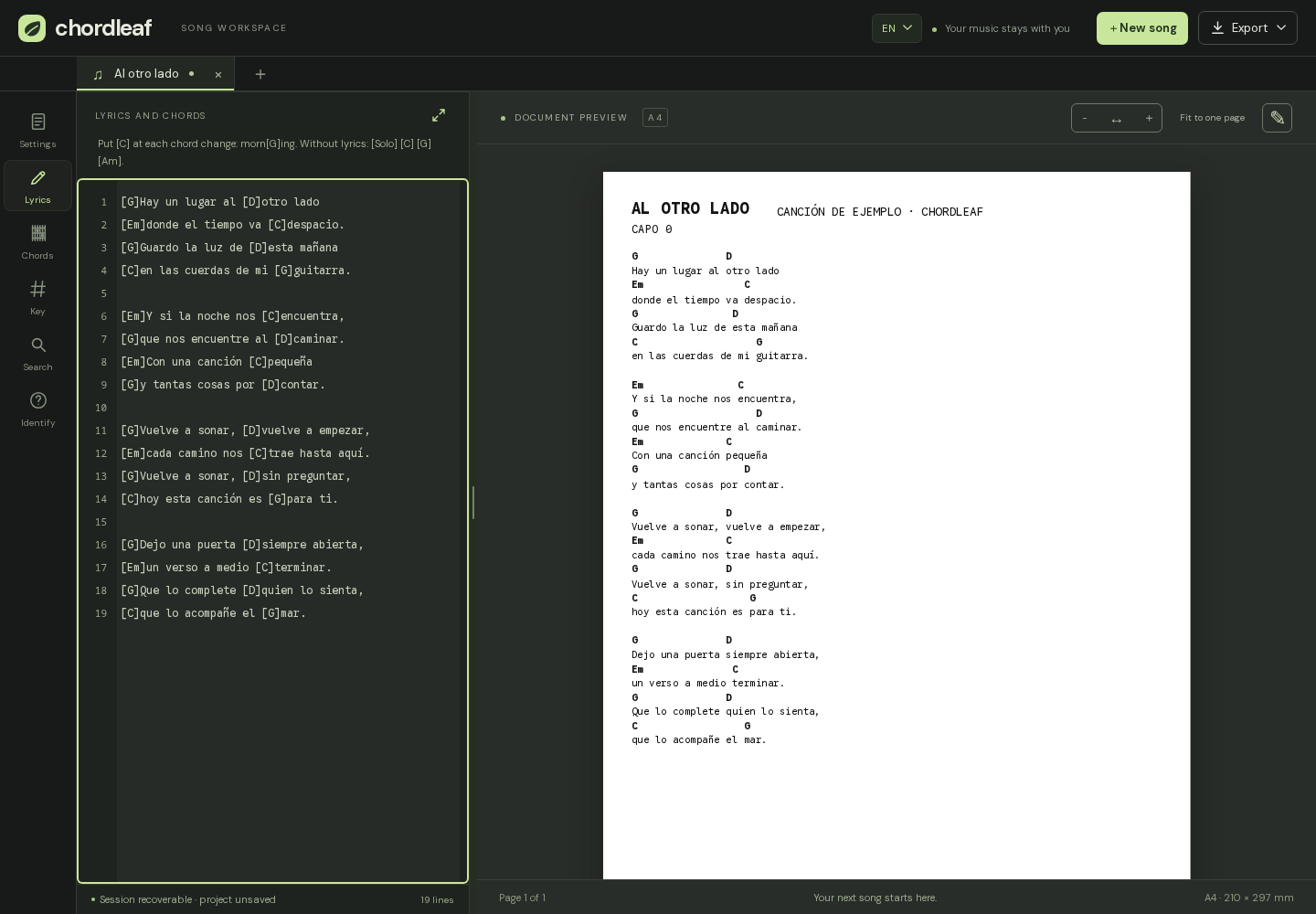
Three ways to bring a song in
All three routes end in the same editor, and you can mix them. There is no single correct start.
- Paste text: copy the lyrics and chords from the page and paste them into the editor; it always works, even offline.
- Files: TXT, selectable PDF, Word DOCX and ChordPro files.
- Supported links: public pages from Ultimate Guitar, Cifra Club and LaCuerda over HTTPS.
Importing from Ultimate Guitar step by step
Open the song on Ultimate Guitar and copy the full URL, starting with https://. In Chordleaf, open Import, paste the link and confirm.
The server downloads the public page and hands it to the editor, which parses it as text; nothing from the source site is executed. Then check the title, the artist and any flagged chords, and fix what needs fixing.
The importer keeps the original alignment as well as it can, but every site lays out its pages differently. Budget a minute to review the chords that could not be matched.
What the server does and does not do
The download happens on the Chordleaf server, not in your browser. It only accepts HTTPS links from a closed list of known hosts, rejects credentials and non-standard ports, and revalidates every redirect.
The downloaded HTML is parsed as data: its scripts are never run and it is never mounted as a page. There are size and time limits per request, and the feature can be switched off depending on how the site is configured.
Web import does not store songs on the server or build a catalogue: the page is processed to return the text to you and then discarded.
When a site blocks the download
Requests from datacenter addresses often get a 403 or 429 because the site detects automated traffic and cuts it off. Chordleaf does not try to bypass that block; it tells you what happened and offers a fallback.
The reliable route is to copy the lyrics and chords from the page and paste them into the editor. For files you already have, TXT, PDF and DOCX import without any network request. The import policy page explains the limits and why they exist.
After the import: review and arrange
Importing is the beginning, not the end: the point of Chordleaf is that the song stays editable, with chords anchored to the lyrics.
- Fix flagged chords and place them on the right syllables.
- Set the title, artist, capo and key.
- Choose the page format and add diagrams if you want them on the sheet.
- Export to PDF, Word, text or ChordPro, or save the project for later.
Content you have the right to use
Chordleaf processes what you provide, like a text editor does. It does not publish songs or build a public index, and it never preloads third-party copyrighted material.
You are responsible for the content you import and share. If the song is yours or in the public domain, that is straightforward; otherwise respect the work's licence and the terms of the site you used.
Frequently asked questions
Which sites can I import a link from?
Public HTTPS pages from Ultimate Guitar, Cifra Club and LaCuerda. For any other source you can paste the text or import a file.
Why does an import fail sometimes?
Sites may answer 403 or 429 when they see datacenter traffic; an import also fails if the link is not from a supported host or the page markup changes. Pasting the text is the fallback.
Do the scripts on the imported page run?
No. The HTML is parsed as data and never mounted as a page, so scripts from the source site do not run in your browser.
Does Chordleaf keep imported songs?
No. The page is downloaded only to return the text to you; it is not stored on the server or added to any public catalogue.